Forms
Inside
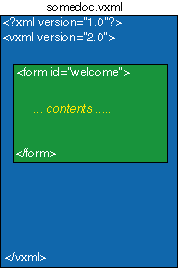
of the <vxml>
tag, a document is broken up into discrete
dialog elements called forms.
Each
form has a name and is responsible for
executing some portion of the dialog.
For example, you may have a form called
"mainMenu" that prompts the
caller to make a selection from a list
of options and then recognizes the response.
A
form is denoted by the use of the <
form> tag and can be specified
by the inclusion of the
id attribute to specify
the form's name. This is useful if the
form is to be referenced at some other
point in the application or by another
application. For example,
<
form id="welcome">
would
indicate in a VoiceXML document the beginning
of the "welcome" form.